How Modern OCR Works: From Pixels to Structured Text
How classical OCR and vision-model OCR actually differ, where each one breaks down, and which of the two Quantilence runs — with the tradeoff stated plainly.
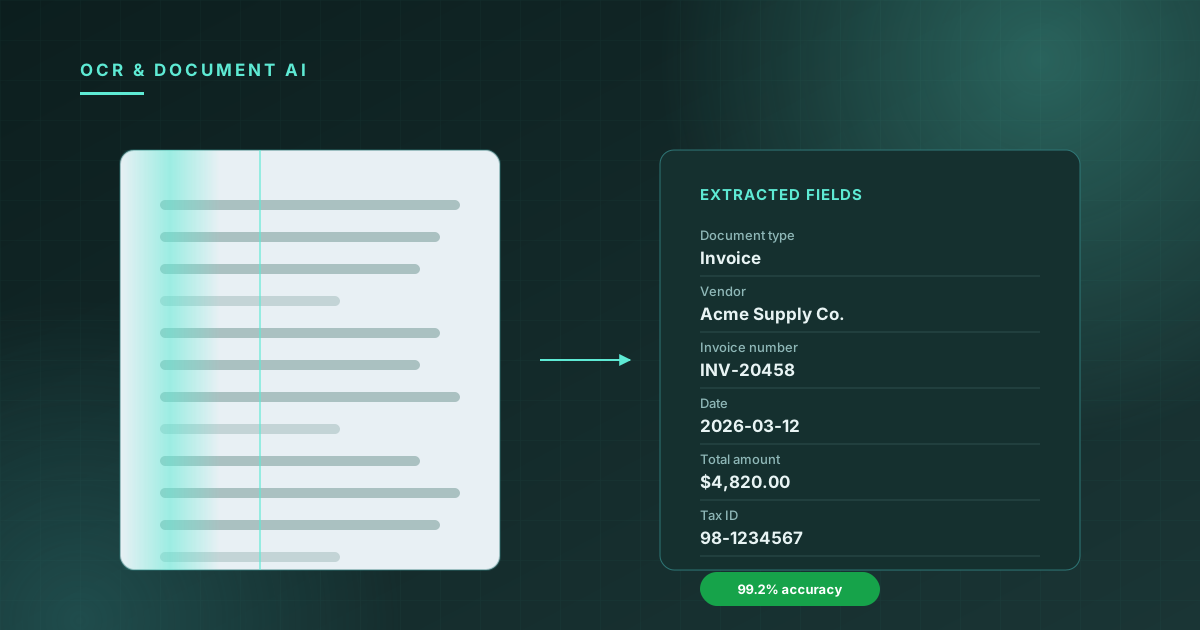
Optical Character Recognition has been a solved problem since the 1990s — or so the conventional wisdom goes. Ask anyone who has tried to extract data from a scanned mortgage document, a crumpled receipt, or a passport photographed in suboptimal lighting, and they'll tell you a different story.
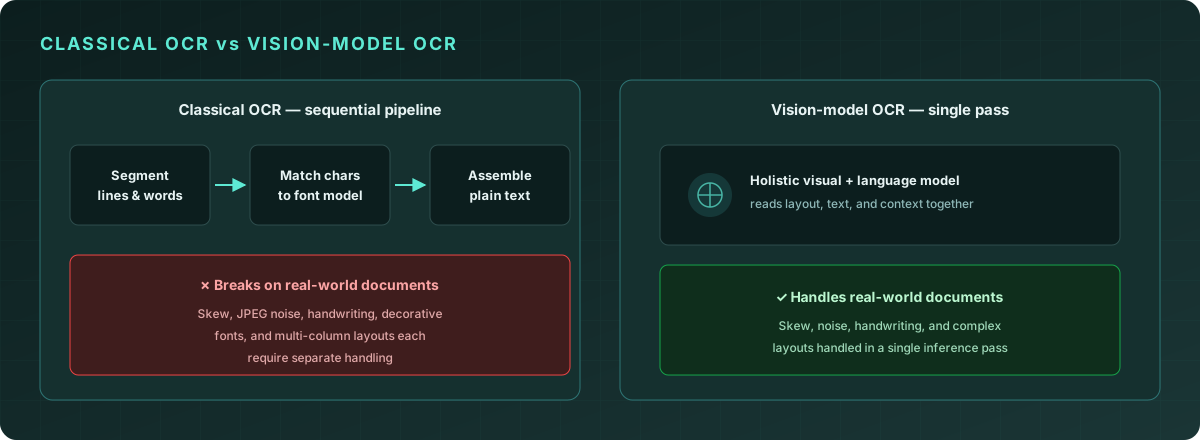
Classical OCR engines like Tesseract work by segmenting an image into lines, then words, then characters, and matching each character against a trained font model. This works reasonably well for clean, typeset documents in well-supported languages. It falls apart spectacularly anywhere else.
Why classical OCR struggles
The failure modes of classical OCR aren't random — they follow predictable patterns:
Skew and perspective distortion. A document photographed at a 15-degree angle will produce significantly degraded output from most classical engines. Pre-processing (deskewing, dewarping) helps but adds latency and its own failure modes.
Noise and degradation. Coffee stains, wrinkles, low-quality scans, and JPEG compression artifacts all introduce pixel-level noise that confuses character segmentation.
Non-standard fonts and handwriting. Classical models are trained on finite font libraries. Anything unusual — a decorative header, a custom brand typeface, handwritten annotations — degrades accuracy substantially.
Layout complexity. Multi-column layouts, tables with merged cells, and documents where text flows around images require explicit layout analysis before character recognition can begin.
What AI-powered OCR does differently
Modern vision-language models approach document reading differently. Rather than a pipeline of discrete stages (segment → recognize → assemble), they treat the document as a holistic visual input and generate text as a sequence prediction problem.
The implications are significant:
-
Context awareness. A vision model reading a receipt knows that after "Total:" there's likely a dollar amount. It can disambiguate ambiguous characters (is that a 0 or an O?) using semantic context, not just visual features.
-
Layout agnostic. The model doesn't need to segment the document before reading it. It can attend to multiple regions simultaneously and understand spatial relationships implicitly.
-
Few-shot generalization. Vision models generalize to new document types, languages, and layouts without retraining, because they've learned rich visual and linguistic representations from diverse pre-training data.
How Quantilence OCR works
Quantilence OCR runs Tesseract on our own infrastructure — the classical engine described above, not a vision model. Your document is not sent to a third-party model provider.
That choice has consequences worth being plain about. Tesseract is fast, costs nothing per page, and is entirely predictable, which is why it can sit behind a Free plan. It is also the weaker option on exactly the inputs described earlier: skewed phone photos, low-contrast scans, unusual layouts and handwriting. This is why OCR is the one tool still marked beta.
In Read text, you upload a document and get back the extracted text as blocks, each with its own confidence score, plus the detected language. Blocks that come back with low confidence are the ones to route to a human.
What this is good for, and what it isn't
Text blocks with confidence scores are the right shape for some jobs and the wrong shape for others.
They work well when you want the words: making a scanned archive searchable, pulling the body of a document into a review queue, checking whether a term appears in a contract, or getting a rough transcription a person will read anyway.
They are the wrong shape when you need specific typed fields — a passport's expiry date, an invoice's line items — with a guarantee about which value belongs to which field. Block-level output tells you the text and where it sat on the page; deciding that a particular block is the expiry date is work left to you, and on documents whose layout varies that work is where the difficulty actually lives.
Knowing which of those two you need is most of the decision.
Conclusion
Classical and vision-model OCR fail differently, and the difference shows up on exactly the inputs that are hardest to control: photographs rather than scans, handwriting rather than type, unusual layouts rather than standard forms. Neither approach makes those inputs easy — they just distribute the difficulty differently, one into pre-processing and the other into cost and unpredictability.
If your documents are clean and typeset, that distinction matters much less than the internet suggests. If they aren't, test on your own worst documents rather than on anyone's benchmark, including ours: a figure measured on someone else's corpus tells you very little about yours.
Every account gets 25 operations a month free, with no card. Try it on your own documents →